The real scope
Mapping is not one integration
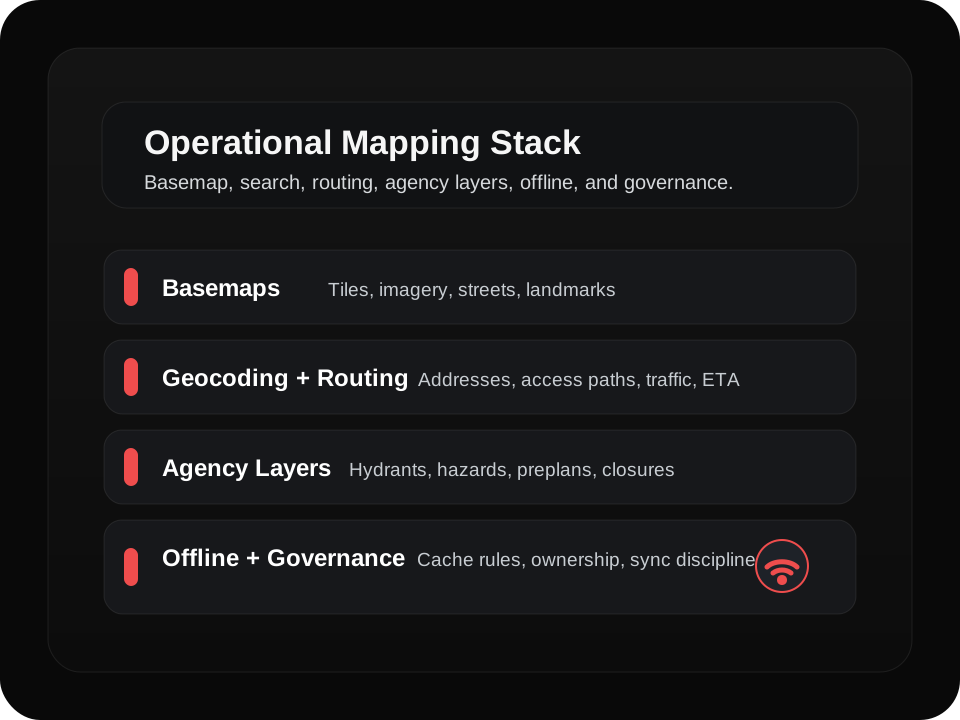
For a responder-facing product, the map on screen is only the visible layer. Underneath it is a chain of services that each solve a different operational problem.
Basemaps
Tiles, imagery, streets, landmarks, and the visual canvas crews use to orient fast.
Geocoding
Turning an address, business name, or location description into usable coordinates.
Routing
Getting from current location to target location with directions, traffic context, and access logic.
Live Data Layers
Hydrants, preplans, hazards, closures, parcels, critical infrastructure, and incident overlays.
Offline Capability
Downloaded map packs, cached queries, and workflows that continue working when coverage fails.
GIS Governance
Who owns the data, who updates it, and how accuracy is maintained across systems.
Operational reality
The tradeoff is usually not map quality
It is system resilience. A platform can look great in a demo and still break down where first responders actually work: poor signal, imperfect address data, changing closures, and local layers maintained by different teams.
That is why the strongest implementations separate responsibilities instead of expecting one provider to handle every job perfectly.
Common options
The most common mapping integrations in public safety tech
Esri ArcGIS
Best for authoritative government GIS and operational layers.
Pros
- Gold standard for government GIS and data layers.
- Excellent for hydrants, parcels, infrastructure, and agency-owned layers.
- Strong enterprise tooling, permissions, and administration.
Tradeoffs
- Licensing can be expensive and complex.
- The developer experience can feel heavier than app-first platforms.
Google Maps Platform
Best for familiar search, strong address matching, and reliable routing.
Pros
- Best-in-class place search and address matching.
- Reliable routing and traffic data.
- Very familiar user experience for most teams.
Tradeoffs
- Cost can scale quickly if usage is not tightly managed.
- Terms and data control can be a poor fit for some agency requirements.
- Offline is not its core strength.
Mapbox
Best for modern product design, custom styling, and offline-capable app experiences.
Pros
- Highly customizable UI for polished mobile and web apps.
- Strong offline map pack support.
- Flexible styling and strong rendering performance.
Tradeoffs
- Pricing can surprise teams at scale.
- You may still need ArcGIS or another authoritative GIS source for trusted layers.
HERE
Best for routing-heavy workflows, traffic-aware dispatch support, and fleet-style capabilities.
Pros
- Strong routing, traffic, and fleet-oriented capabilities.
- Good global coverage.
- Solid enterprise options.
Tradeoffs
- Less familiar than Google for many product teams and users.
- You still need a plan for authoritative local agency layers.
OpenStreetMap + Self-Hosted Tiles
Best for control, flexible deployments, and cost discipline at scale.
Pros
- Maximum control over data, hosting, and deployment model.
- Can be very cost-effective at scale when managed well.
- Works well for offline and specialized environments.
Tradeoffs
- You own maintenance, updates, and availability.
- Quality can vary by region unless you invest in enhancements.
- Requires real GIS and infrastructure discipline.
Agency CAD and GIS Layers
This is not the basemap. This is the operational data that actually changes outcomes.
Pros
- Highest trust and highest operational relevance.
- Aligns with the way agencies already manage hydrants, boundaries, hazards, and access points.
Tradeoffs
- Integration is never one size fits all.
- Data cleanliness, sync timing, and ownership can become the hard part.
Offline mode
Offline is not a bonus feature
For first responder software, offline mode should be part of the architecture from the beginning. Signal loss is normal in basements, rural areas, stairwells, wildland zones, and large incident footprints.
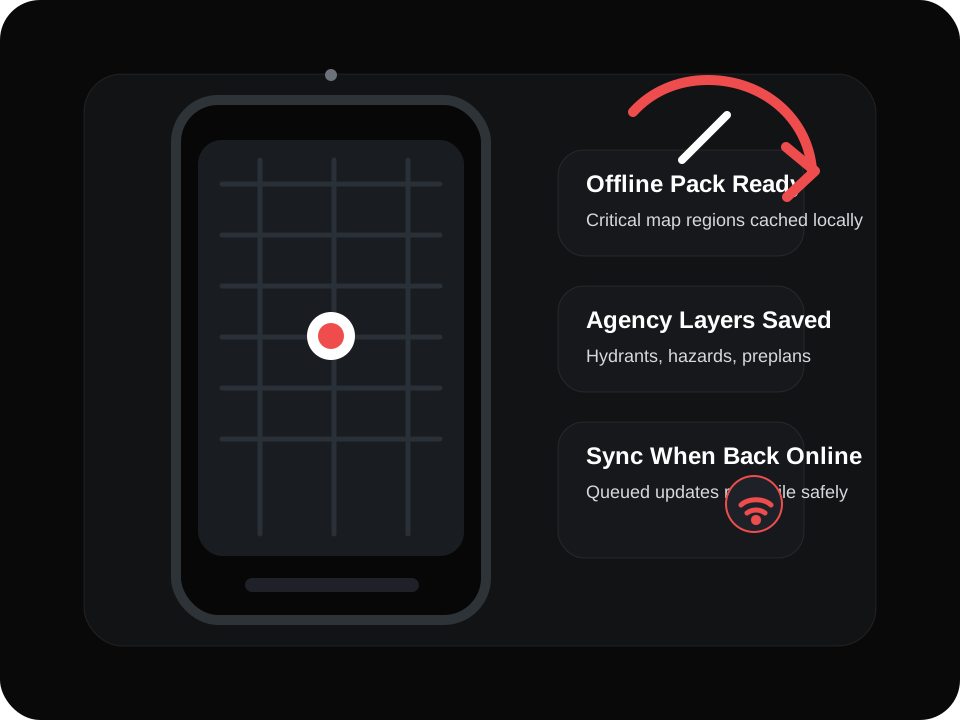
A solid offline strategy usually includes pre-downloaded basemap regions, cached geocoding results for recent work, local copies of critical layers, and sync rules that reconcile changes cleanly when connectivity comes back.
- Crews should still be able to open preplans, hydrants, hazards, and access notes without live service calls.
- Routing should fail gracefully when traffic data disappears instead of leaving users stuck.
- Teams need a clear policy for what data is available offline, how long it is trusted, and who refreshes it.
My take
The right answer is usually a blend
In most first responder products, the best architecture is:
One provider for basemap and routing
Choose the platform that best fits your product UX, address quality needs, and deployment model.
ArcGIS or CAD GIS for authoritative layers
Keep operational trust anchored in the agency systems that already own the critical data.
An offline plan that is tested, not assumed
Design for dead zones, stale data handling, and re-sync behavior before launch.
The key question is not which map is best. It is what still works in dead zones, under load, with imperfect addresses, and changing access routes.
Need help choosing the right map stack?
We help agencies and public safety teams design mobile products that combine dependable mapping, authoritative layers, and offline-ready field workflows.